Newsletter
Join the Community
Subscribe to our newsletter for the latest news and updates
Automatic PDF summarization using GPT, with section summaries and table of contents.
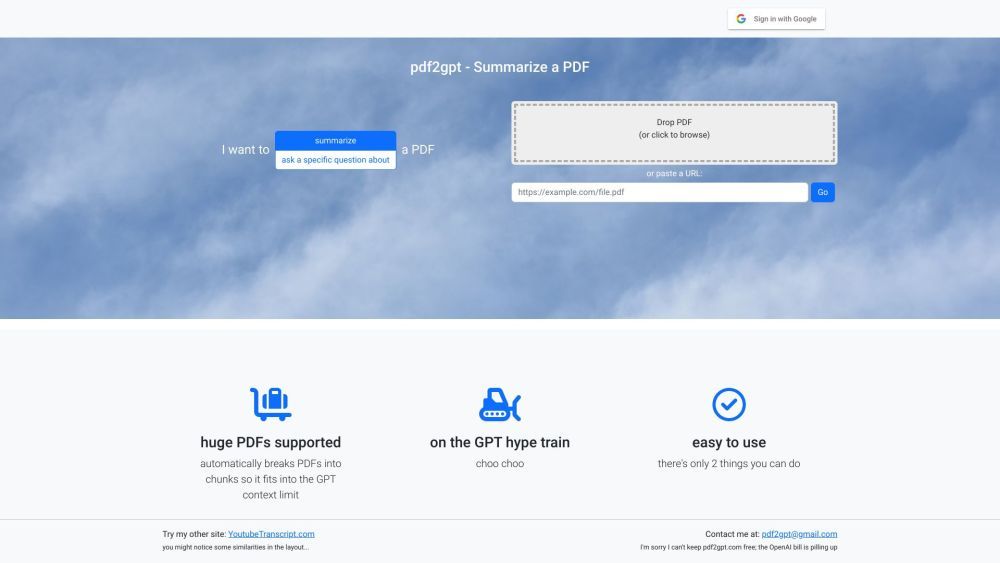
PDF2GPT is a tool that automatically summarizes long PDFs using GPT. It chunks the PDFs into parts that fit into GPT's context limit and provides an overall summary, a table of contents, and a summary of each section of the document.
To use PDF2GPT, you need to upload the PDF you want to summarize. The tool will automatically break down the PDF into manageable parts and generate an overall summary. You can also access a table of contents that lists the sections of the document, allowing you to view summaries for each section individually.
✨ The core features of PDF2GPT include automated summarization of large PDFs, segmentation of PDFs into GPT-sized chunks, generation of an overall summary for the document, creation of a table of contents, and section-wise summaries.
🔸 PDF2GPT is beneficial for researchers, students, and professionals who need to quickly comprehend the content of lengthy PDF documents. It saves time by providing concise summaries and helps users navigate through the document efficiently.
What file format does PDF2GPT support? PDF2GPT only supports PDF files as input for summarization.
Can I customize the summary length? Currently, there is no option to customize the length of the generated summary. PDF2GPT uses pre-defined chunking to fit within GPT's context limit.
Does PDF2GPT retain the original formatting of the PDF? PDF2GPT primarily focuses on summarization and does not retain the exact formatting of the original PDF. It generates text-based summaries and a simplified table of contents.
Can PDF2GPT handle password-protected PDFs? No, PDF2GPT cannot process password-protected PDFs. You need to remove the password protection before using the tool.
Is there a limit on the size of PDF that can be summarized? While there is no specific size limit mentioned, PDF2GPT chunks the PDFs into parts that fit into GPT's context limit. Extremely large PDFs may require manual segmentation before uploading.